
Notice: Function _load_textdomain_just_in_time was called incorrectly. Translation loading for the astra-addon domain was triggered too early. This is usually an indicator for some code in the plugin or theme running too early. Translations should be loaded at the init action or later. Please see Debugging in WordPress for more information. (This message was added in version 6.7.0.) in /home4/edumaket/edu-market.net/wp-includes/functions.php on line 6131

Notice: Function _load_textdomain_just_in_time was called incorrectly. Translation loading for the wp-plugin-hostgator domain was triggered too early. This is usually an indicator for some code in the plugin or theme running too early. Translations should be loaded at the init action or later. Please see Debugging in WordPress for more information. (This message was added in version 6.7.0.) in /home4/edumaket/edu-market.net/wp-includes/functions.php on line 6131

Notice: Function _load_textdomain_just_in_time was called incorrectly. Translation loading for the wp-plugin-hostgator domain was triggered too early. This is usually an indicator for some code in the plugin or theme running too early. Translations should be loaded at the init action or later. Please see Debugging in WordPress for more information. (This message was added in version 6.7.0.) in /home4/edumaket/edu-market.net/wp-includes/functions.php on line 6131

Notice: wp_woocommerce_session_2d9abe47884ad29114b4f897fa3252fe cookie cannot be set - headers already sent by /home4/edumaket/edu-market.net/wp-includes/functions.php on line 6131 in /home4/edumaket/edu-market.net/wp-content/plugins/woocommerce/includes/wc-core-functions.php on line 1121
Raspberry Python - EDU Market

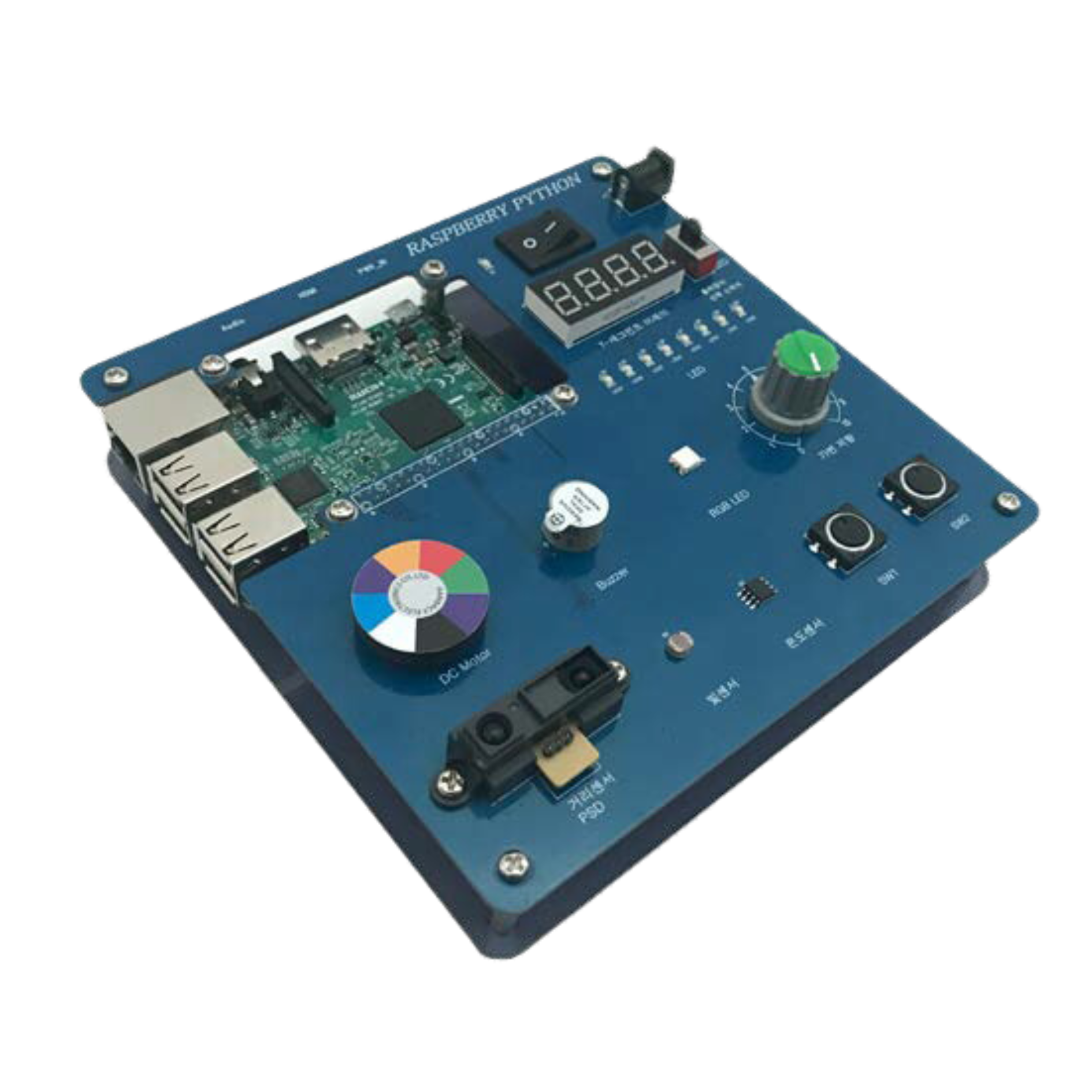
Raspberry Python

Using the Raspberry Pi board, you can study Python grammar, sensors and motor driving.

  • Provides a variety of examples from the basics to applications of Python, a multi-paradigm programming language
  • Provides various sensor and motor control examples using Python language
  • It is composed of Open Hardware Platform and easily accessible by anyone

Description

Input Device : Switch(2)
Sensor Device : Temperature Sensor, Light Sensor(CdS), Distance Sensor(PSD), Variable Resistor
Output Device : 7-Segment, LED(8), DC Motor, Buzzer, RGB LED
Communication Device : Bluetooth, WiFi
Audio : 3.5mm A/V Jack
Video : HDMI 1.4 Video Out

Chapter

1. Introduction of Python
2. Configuration of Raspberry Python and Practice Environment
3. Python Basics
4. Operators and formulas
5. Conditional and loop statements
6. Function
7. Module
8. Input and Output
9. Exception handling
10. Bluetooth

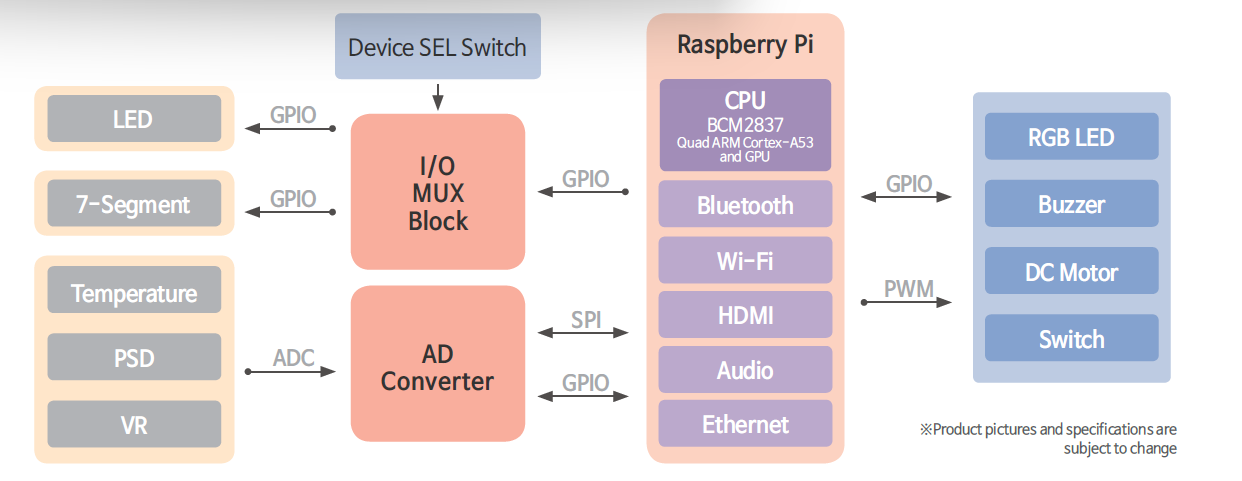
Block Diagram
Scroll to Top